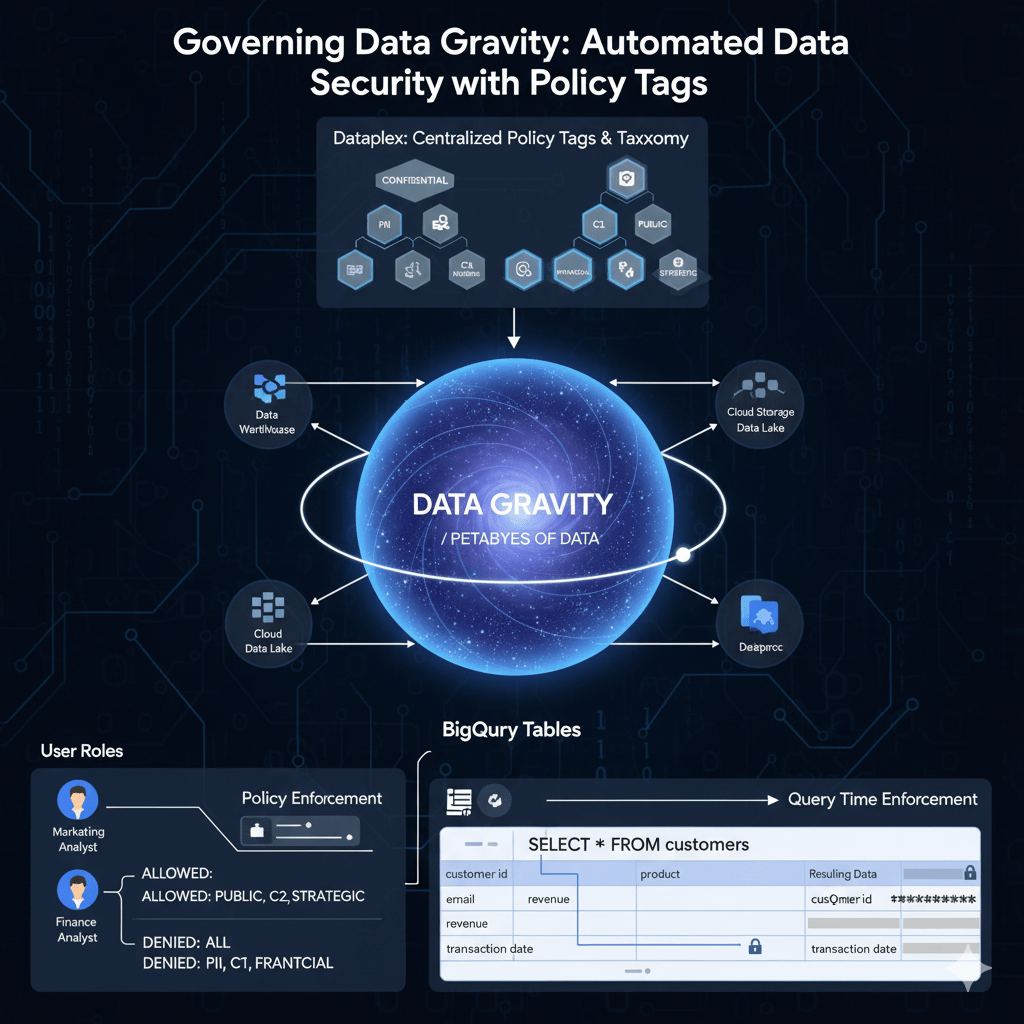
Data is powerful, but it also has gravity. As organizations generate and store more, the weight of data pulls in more systems, more users, and more complexity. With this gravity comes risk: sensitive information spreads across projects, teams, and regions, often without consistent controls.
To govern data effectively at scale, organizations need more than manual oversight. They need automated policies that classify and protect data wherever it lives. In the Google Cloud ecosystem, Policy Tags in BigQuery and Dataplex provide exactly that.
What Is Data Gravity in Governance?
- Data attracts users and workloads: As datasets grow, more teams want access.
- Risk increases with spread: Sensitive data (PII, financial records, health data) often lands in multiple projects.
- Manual processes break down: Compliance rules cannot be enforced consistently without automation.
Governing data gravity means keeping control even as data expands and attracts more usage.
Policy Tags in BigQuery and Dataplex
Policy Tags are metadata labels attached to columns or tables that define sensitivity levels and automatically enforce access policies.
- BigQuery Integration:
- Assign a policy tag to a column (e.g., “Confidential” for Social Security Numbers).
- Only users or roles with the right IAM permissions can query that column.
- Enforces column-level security without writing custom logic.
- Dataplex Integration:
- Provides a central governance plane across BigQuery, GCS, and other data stores.
- Automates classification using machine learning and rules (e.g., detecting credit card patterns).
- Maps data assets to policy tags consistently across the lakehouse.
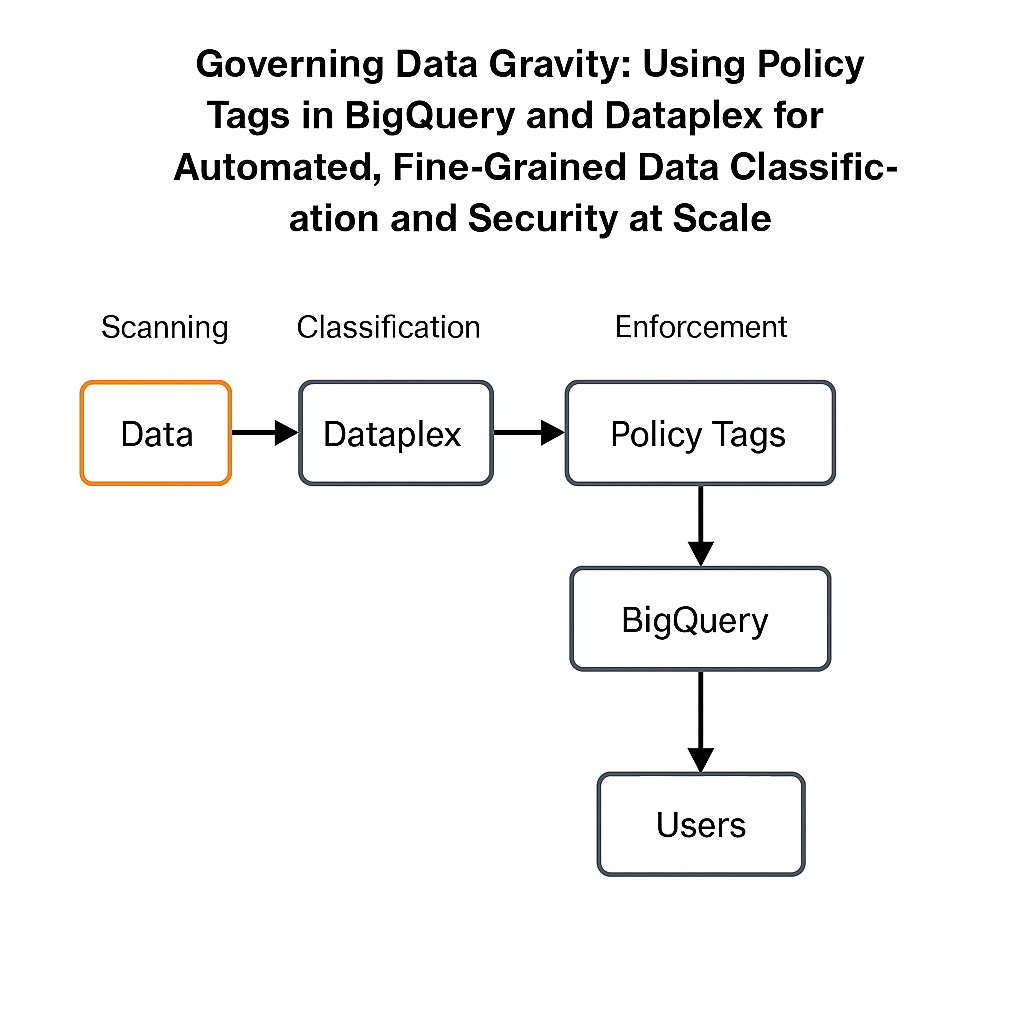
Together, BigQuery and Dataplex create a system where classification + enforcement is programmatic and scalable.
How It Works in Practice
Example Scenario: A retail company stores customer purchase data in BigQuery. Some columns contain sensitive PII, others are harmless metrics.
- Classification: Dataplex automatically scans datasets and applies policy tags like “Public,” “Internal,” “Confidential,” or “Restricted.”
- Enforcement: In BigQuery, access to “Confidential” columns (such as customer emails) is automatically restricted. Analysts can still query non-sensitive fields without friction.
- Scalability: As new datasets land in BigQuery, Dataplex applies classification policies instantly, keeping governance current.
Benefits of Policy-Driven Governance
- Automation at Scale: Classify and enforce rules across thousands of datasets without manual effort.
- Fine-Grained Access: Control access at the column level, not just the dataset or table.
- Consistency Across Teams: Developers, analysts, and data scientists all operate within the same guardrails.
- Regulatory Alignment: Supports compliance needs (GDPR, HIPAA, PDPA) by tying policies directly to sensitivity.
The Future of Governing Data Gravity
As data volumes multiply, organizations that treat governance as a data gravity counterbalance will thrive. Policy Tags in BigQuery and Dataplex represent a shift from reactive oversight to built-in governance — where every new dataset is classified and protected automatically.
This is governance at scale: not slowing down innovation, but enabling it with confidence.
 AI Academy
Leave a comment